Do You Face These Pain Points as a Cross-Border Practitioner?Is your personal cell phone racking up huge bills for international calls to overseas clients? Do you lack a reliable local phone number for your localized business operations? Or is receiving international SMS verification codes a tedious hassle?
If you’re looking for a solution, a professional VoIP (Voice over Internet Protocol) number might be exactly what you need. It not only slashes communication costs significantly but also helps you build a professional local brand image. Among numerous service providers, IntBell is a top choice for many, thanks to its transparent pricing, extensive number library, and stable call quality.
Today, I’ll walk you through the step-by-step process of applying for a VoIP number on IntBell, and share key precautions to help you avoid common pitfalls.
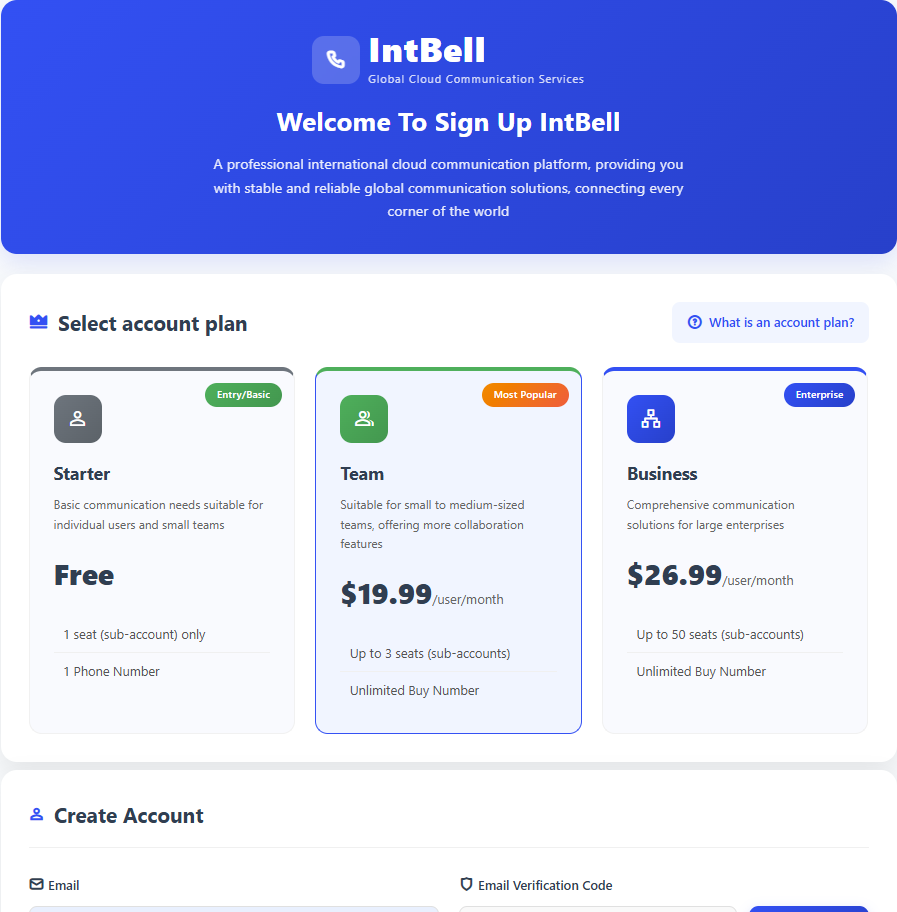
Step 1: Register an Account and Select a Plan
The process starts with registration. Visit the official IntBell website and click Register.
- Key Choice: You’ll need to select an account plan during registration, which determines your feature limits. The main plans are:
- Basic Plan: Ideal for individuals.
- Team Plan: Suited for small teams with multi-person collaboration needs.
- Business Plan: For enterprises with higher call volumes and demand for advanced features.
- Enterprise Plan: Customized solutions, available via customer service application only.
Recommendation: Start with the Basic or Team Plan for your first use—you can upgrade at any time later.
Step 2: Log In and Navigate to the Number Purchase Page
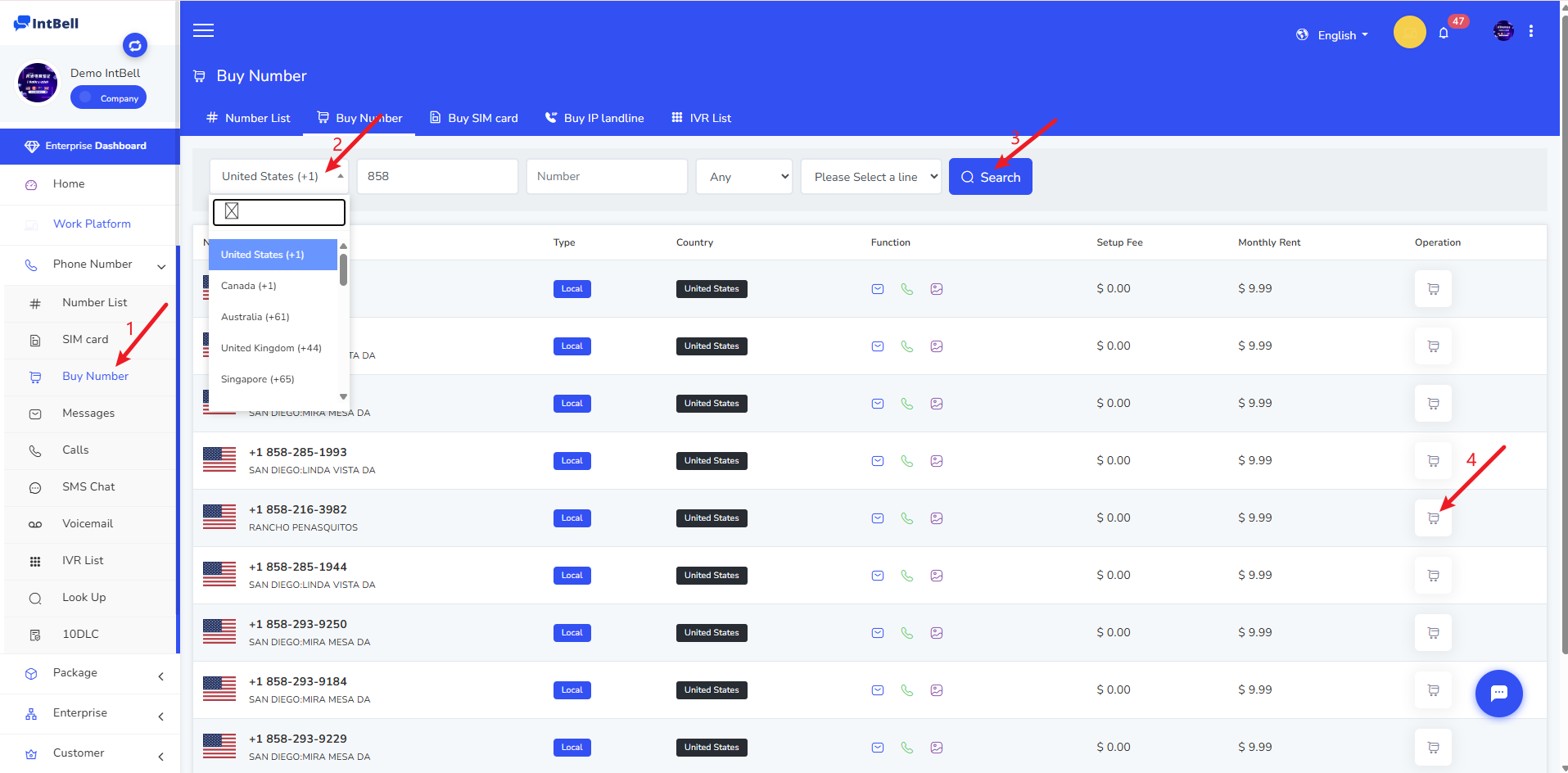
After successful registration, log in with your email and password. On the left navigation bar of the homepage, click Phone System -> Buy Numbers to access the number list.
Step 3: Filter and Select Your Desired Number
This is the core step—you can filter numbers just like shopping online.
- Filter Criteria: Precisely target your ideal number by selecting the country/region, entering the area code, choosing the number type (e.g., mobile, local, toll-free) and line.
- View Results: Click Search, and all eligible numbers will be listed below with clear details including:
- The number itself
- Supported features (icon indicators for SMS, MMS, Calls)
- One-time purchase fee
- Monthly rental fee
- Make Your Selection: Compare features and prices to find the number that best fits your business needs.
Step 4: Confirm Your Package and Complete Payment
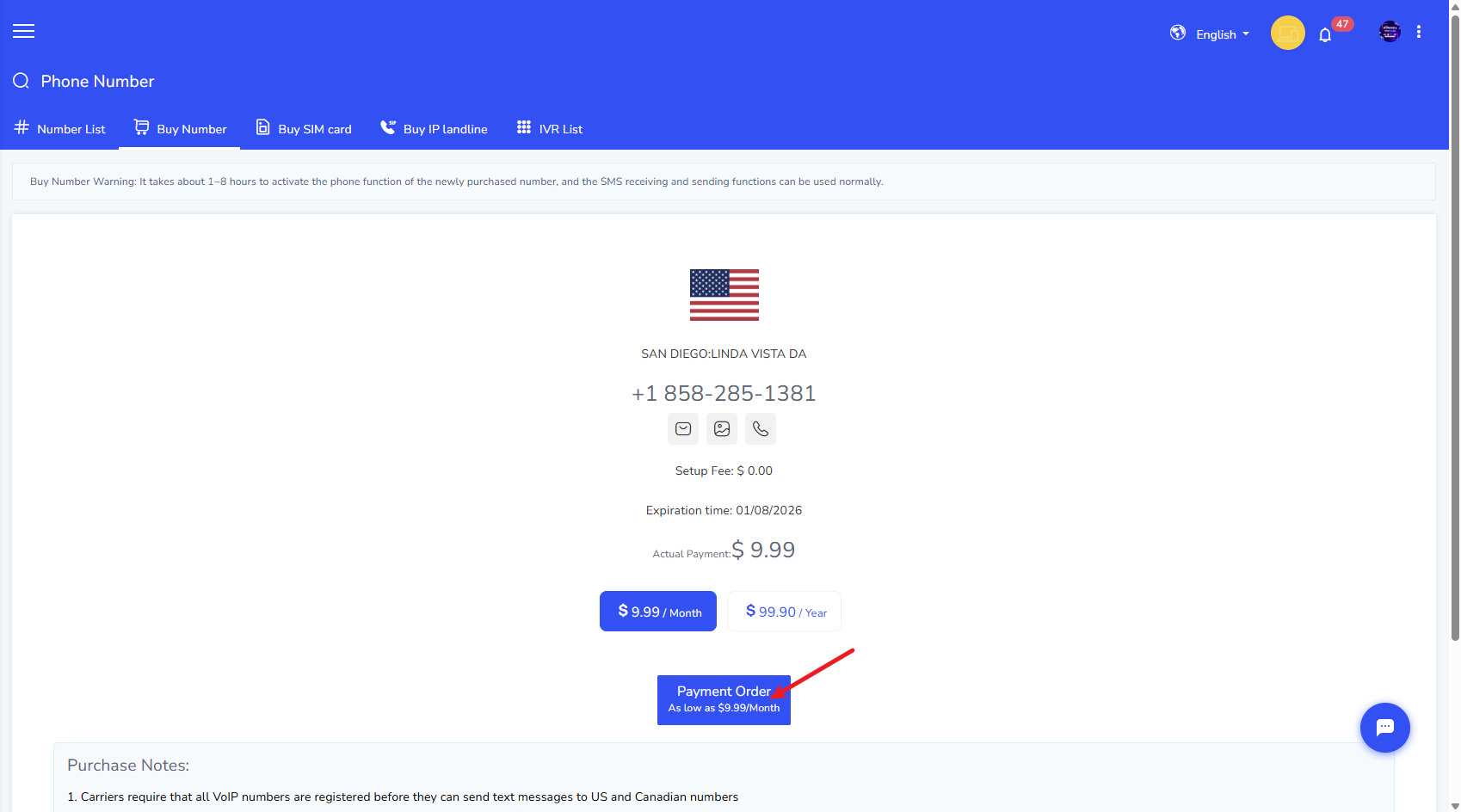
Click the Buy button next to your chosen number to enter the order confirmation page.
- Select Billing Cycle: Choose between monthly or yearly billing. Yearly billing usually includes discounts (e.g., 2 free months with a 10-month purchase), making it more cost-effective for long-term use.
- Complete Payment: After verifying all order details, click Pay and finish the purchase using your preferred payment method (PayPal, credit card, Alipay, Apple Pay, USDT).
‼️ Critical Precautions Before and After Purchase
A successful order is not the end—these key points directly impact whether your number can be used normally:
SMS Feature Activation (for US/Canada Numbers):
- Per carrier regulations, all VoIP numbers must be successfully registered before sending SMS to US and Canadian mobile numbers.
- Simply put: After purchase, you need to complete the registration with US carriers as guided to enable the active SMS sending feature. Incoming SMS, calls, and outgoing calls are usually unaffected.
Number Activation Timeframe (Most Important!):
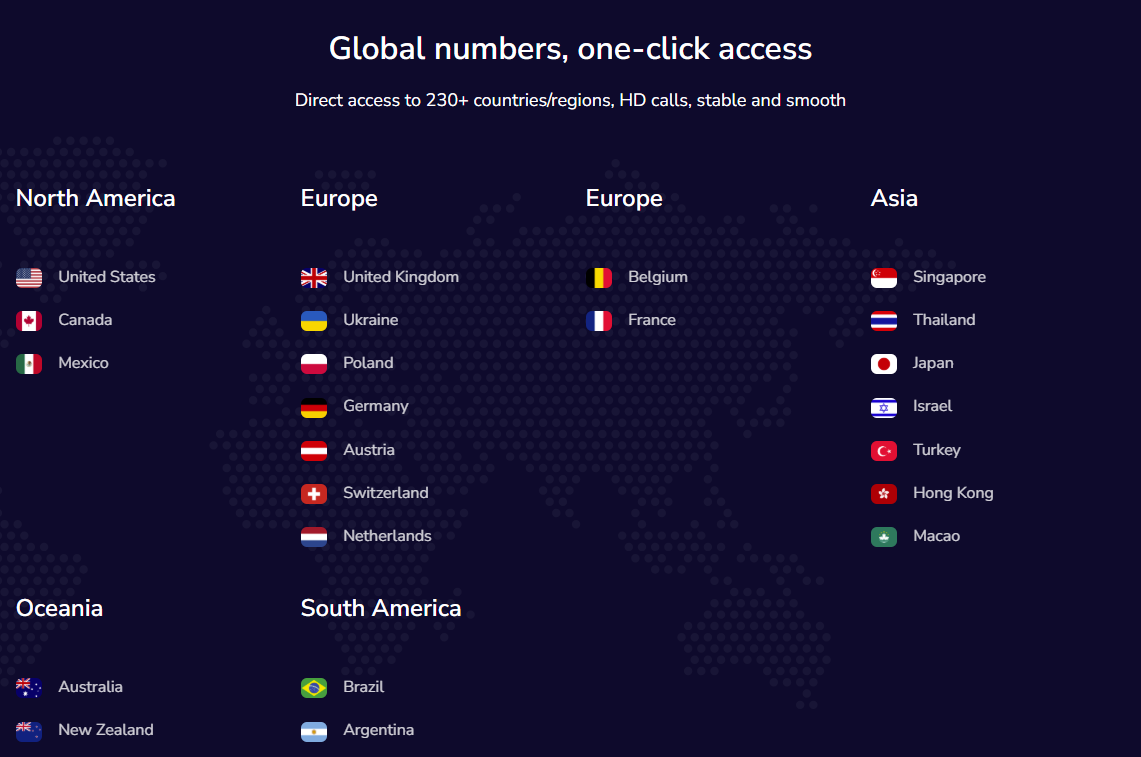
- Instant Activation Countries: Currently, numbers for only four countries—the US, Canada, the UK, and Australia—are activated immediately after purchase, with no additional documents required.
- Countries Requiring Review: For numbers outside the above four countries, you must contact customer service to apply manually. Prepare the following company documents in advance; the review takes approximately 7–10 business days:
- Company name
- Company address
- Business description
- Proof of company address (bank statement or utility bill from the past 5 months)
- Company registration certificate
Transparent Pricing: After purchasing a number, incoming and outgoing calls are charged per minute, and incoming/outgoing SMS are charged per message on the platform—there are no additional roaming fees.
If you encounter any issues during application or use, the fastest way to get help is to contact the online customer service at the bottom right of the official website, or send an email to support@intbell.com to reach the support team.